Building Agent Memory Without Vendor Lock-in: Real-world Implementation (Part 3)
The third part of the AI Agent memory series. This time we dissect the real-world implementation: building a unified memory engine wrapped in MCP, and designing a Dual-Lane Memory (RAG + SQL Analytics).
In the previous post (Part 2), I discussed the theory of Hybrid Scoring and 1-Hop Related Dates Expansion to simplify memory relationships for my AI assistant, Nouva. Conceptually, everything looked beautiful on paper.
But when it came to real-world implementation in my homelab, I realized: it seemed like AnythingLLM wasn't really that useful.
Eventually, I decided to remove AnythingLLM from my memory architecture and built a lean Nouva Memory Engine using FastMCP (Python) directly connected to Postgres + pgvector and a standard relational database for deterministic analytical queries.
Here is the architectural breakdown and implementation journey.
New Architecture: Dual-Lane Memory Engine
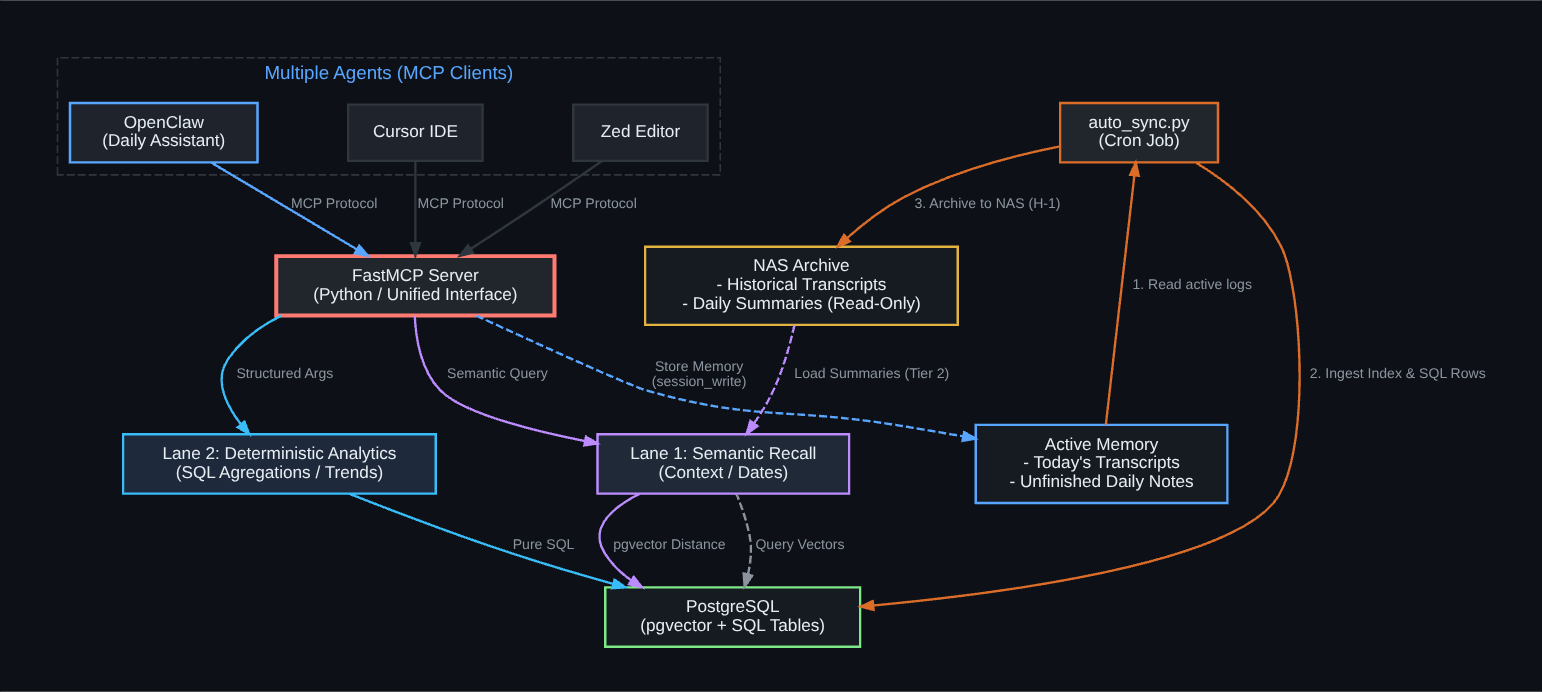
Before diving into the code details, here is a high-level overview of Nouva's new memory workflow:

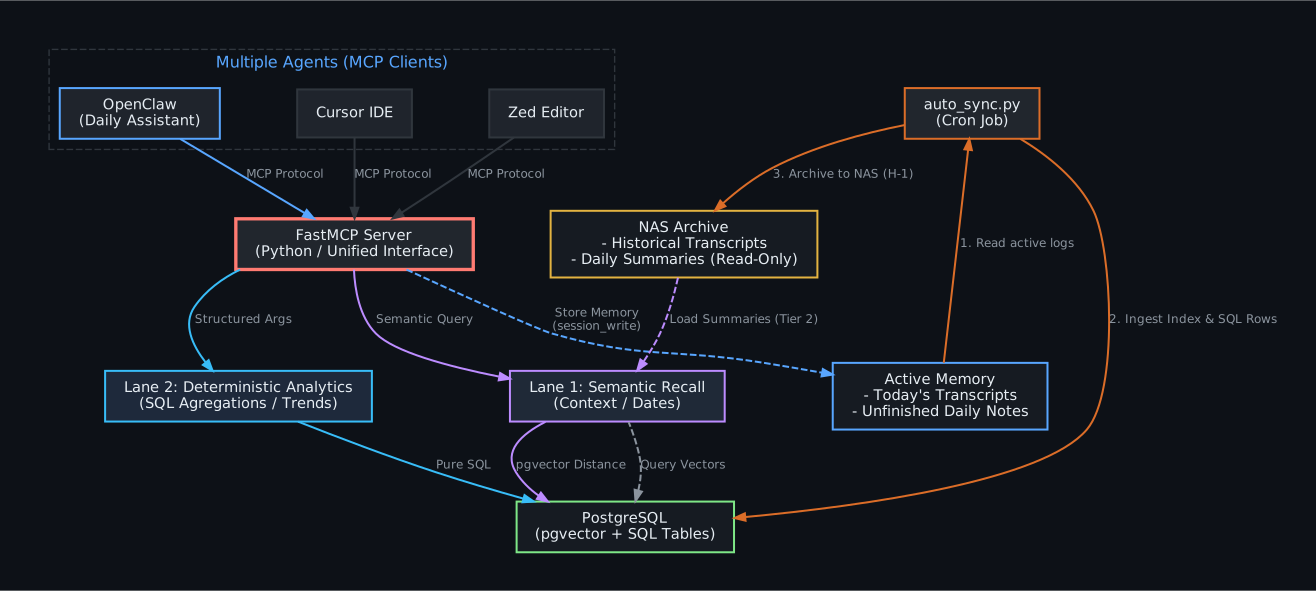
The core of this architecture is the separation of search pathways based on the type of incoming query (Dual-Lane). The semantic path (RAG) and the quantitative analysis path (SQL) cannot be mixed if you want accurate results and token efficiency.
Within this system, memory data is categorized into two main states:
- Active Memory (Local): Stores ongoing or recent data from today (such as active chat transcripts and unfinished daily notes). This data is written directly to my agent server (
active_memory_dir) for fast write access. - Archived Memory (NAS): After a grace period (e.g., H-1), the sync pipeline automatically moves final data (raw transcripts, daily summaries, and indexes) to a permanent, read-only archive on the NAS (
archived_memory_dir), keeping my agent server's SSD storage lean.
1. Decommissioning AnythingLLM & Moving to FastMCP
Initially, AnythingLLM felt very helpful because it provided an instant API for document management and vector database operations. However, upon reflection, AnythingLLM was bloated for a personal assistant running in a homelab. It consumed significant RAM and CPU on my K3s cluster, while I only needed:
- Storing markdown documents (
MEMORY.md, daily indexes). - Generating embeddings for them.
- Performing cosine distance queries.
Consequently, I decommissioned AnythingLLM permanently. I stopped its containers, deleted the volumes on my server, and removed its ingress routing from the Kubernetes manifests.
In its place, I built a Unified Memory Engine based on FastMCP (Python). Why MCP (Model Context Protocol)? Because this protocol has now become an industry standard supported by many AI Agent clients (such as OpenClaw, Cursor, Zed, etc.). By building a single MCP server, you can plug this memory into your code editors, Telegram assistants, or any CLI agent without building custom API wrappers.
2. From Zed Editor Straight to the Server (Memory Lifecycle)
How does an interaction transform into memory? The process begins directly from the daily coding workspace or chat sessions.
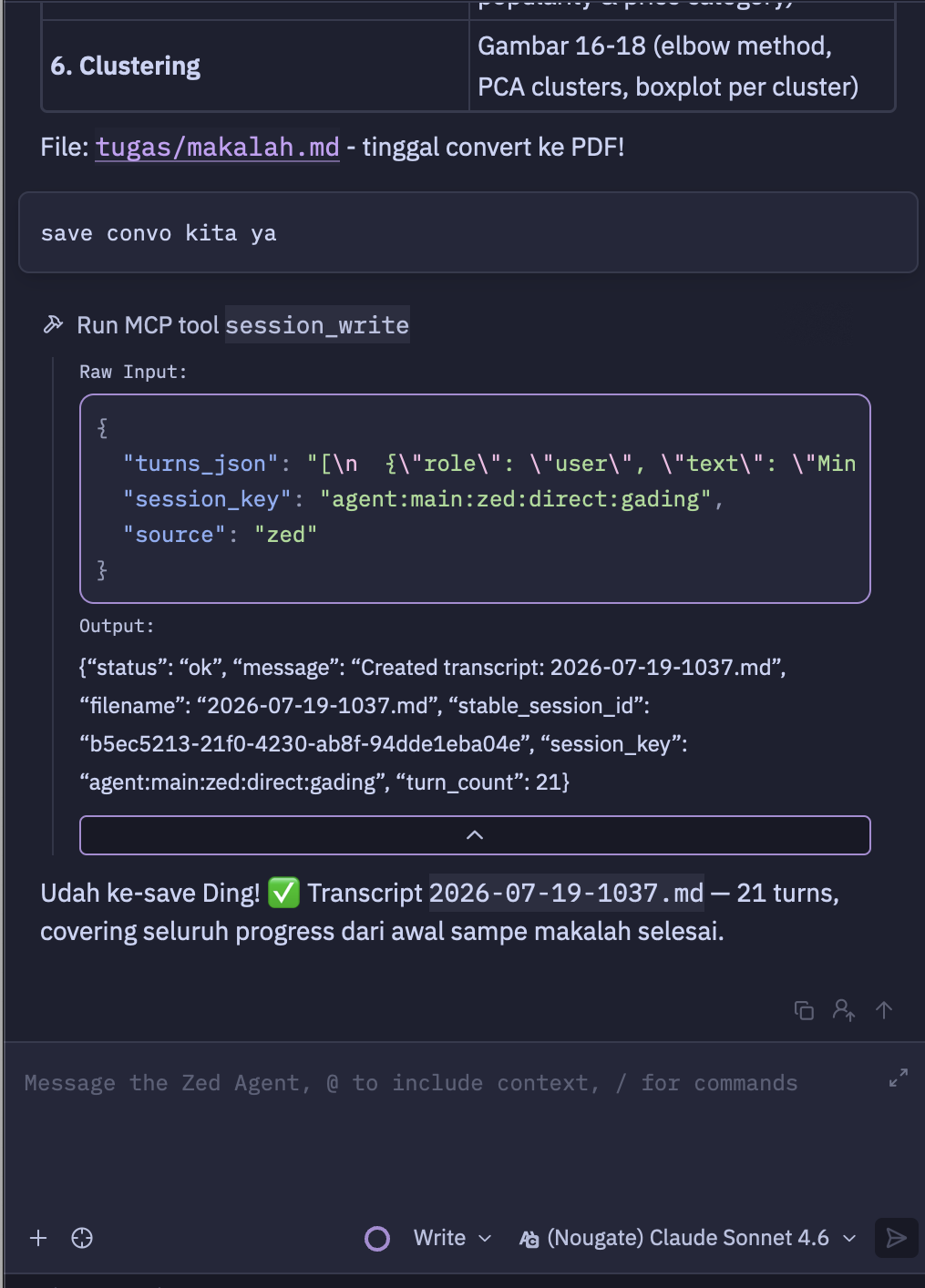
For instance, when I am coding in Zed Editor and request the AI assistant to save an important discussion session, the assistant triggers the session_write tool (FastMCP tool). This tool instantly records the conversation history, packages it into a structured JSON payload, and writes it as a raw Markdown transcript file on my agent server:

This newly saved raw transcript file (2026-07-19-1037.md) resides on my agent server (agent-host in Proxmox) and is immediately linked to its parent day (Parent Day: [[2026-07-19]]):

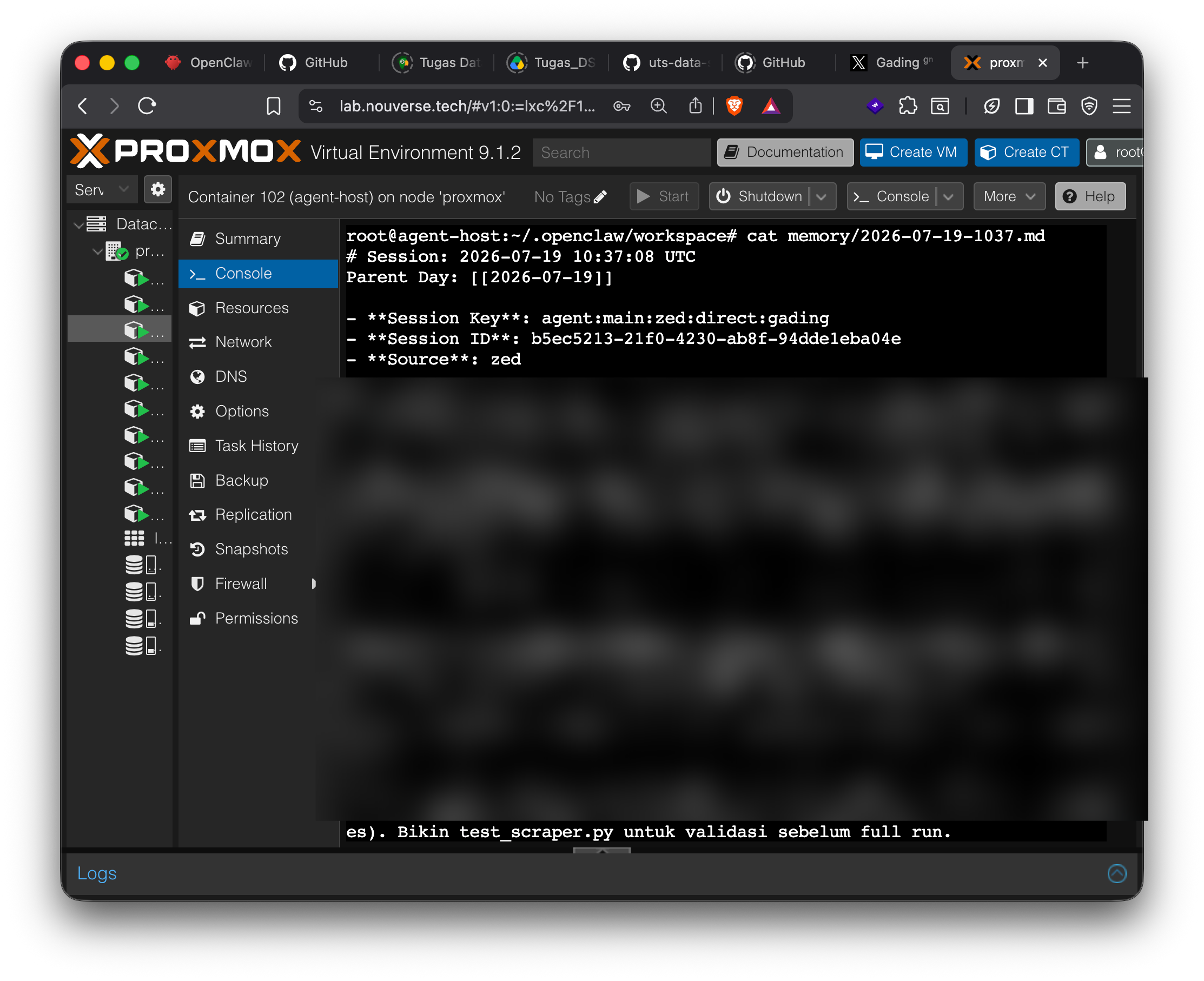
These raw transcript files are kept in active storage (my agent server, non-NAS) for a brief grace period (H-1) before eventually being summarized, semantically indexed, and permanently archived to the NAS by the daily background sync pipeline.
3. Dual-Lane Memory: Semantic RAG vs. Deterministic SQL Analytics
The biggest issue often forgotten when building RAG systems is forcing semantic search to answer quantitative questions.
For example, if you ask the AI: "What percentage of my days were productive this July?"
If you use standard semantic RAG, the LLM will search for documents that are cosine-similar to the phrase "July productivity". It might pull 2 or 3 random daily summaries, and then try to "hallucinate" a percentage based on those limited documents. The result? Guaranteed to be wrong or inaccurate.
To solve this, I split memory processing into two pathways (Dual-Lane):
Lane 1: Semantic Recall (pgvector)
This is the conventional RAG pathway. Data from main markdown files (MEMORY.md, MEMORY_INDEX.md) are chunked, embedded locally using the bge-m3 model, and stored in the memory_vectors table in PostgreSQL with the pgvector extension.
- Use Case: Answering context-based questions, e.g., "How was the server boot order set up yesterday?" or "What was my agreement with Kak Rina regarding sahur reminders?"
Lane 2: Deterministic Analytics (Postgres SQL)
Every time the daily sync script (auto_sync.py) runs, it not only generates a markdown summary but also parses the YAML frontmatter of that summary (such as mood, importance, projects, technologies, date) and saves it as a structured SQL row in the daily_summaries PostgreSQL table.
- Use Case: Answering aggregation/trend questions deterministically, e.g., "How many times did I code in Next.js this month?" or "What percentage of my days were productive in June?"
Why Postgres? Because in the end, every developer's spiritual journey eventually leads to one absolute conclusion: Just Use Postgres.

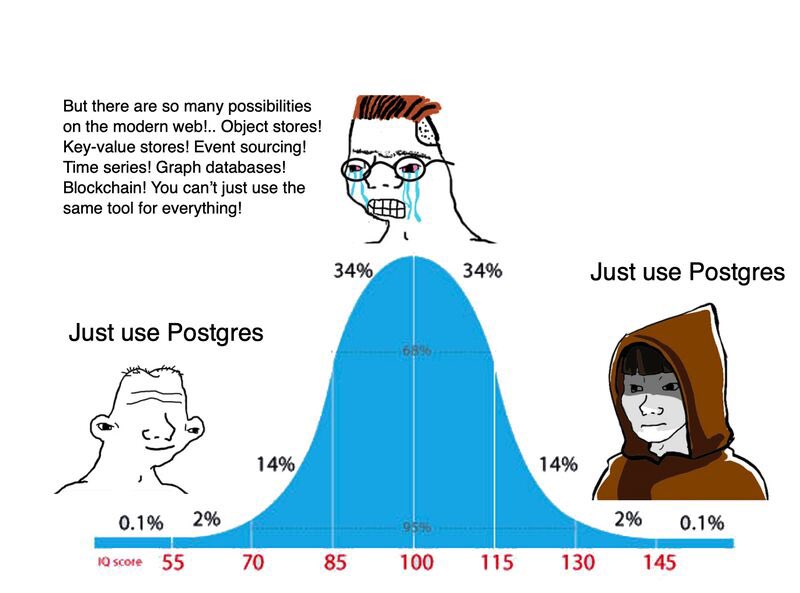
Instead of fussing with deploying dedicated time-series databases, complicated graph databases, or separate document stores just to keep personal summary data, Postgres with the combination of pgvector (for Lane 1) and standard relational tables (for Lane 2) is more than enough to handle everything efficiently on its own.
When the AI assistant receives a quantitative question, it does not run a vector search. Instead, it parses the query parameters into structured arguments (e.g., start_date="2026-07-01", end_date="2026-07-19", intent="mood_timeseries") via the memory_analyze MCP tool, and executes a raw SQL aggregation query directly on the database.
The result? The AI is not only capable of semantic context recall but can also perform aggregations and trend analysis with 100% precision just like an analytical database:

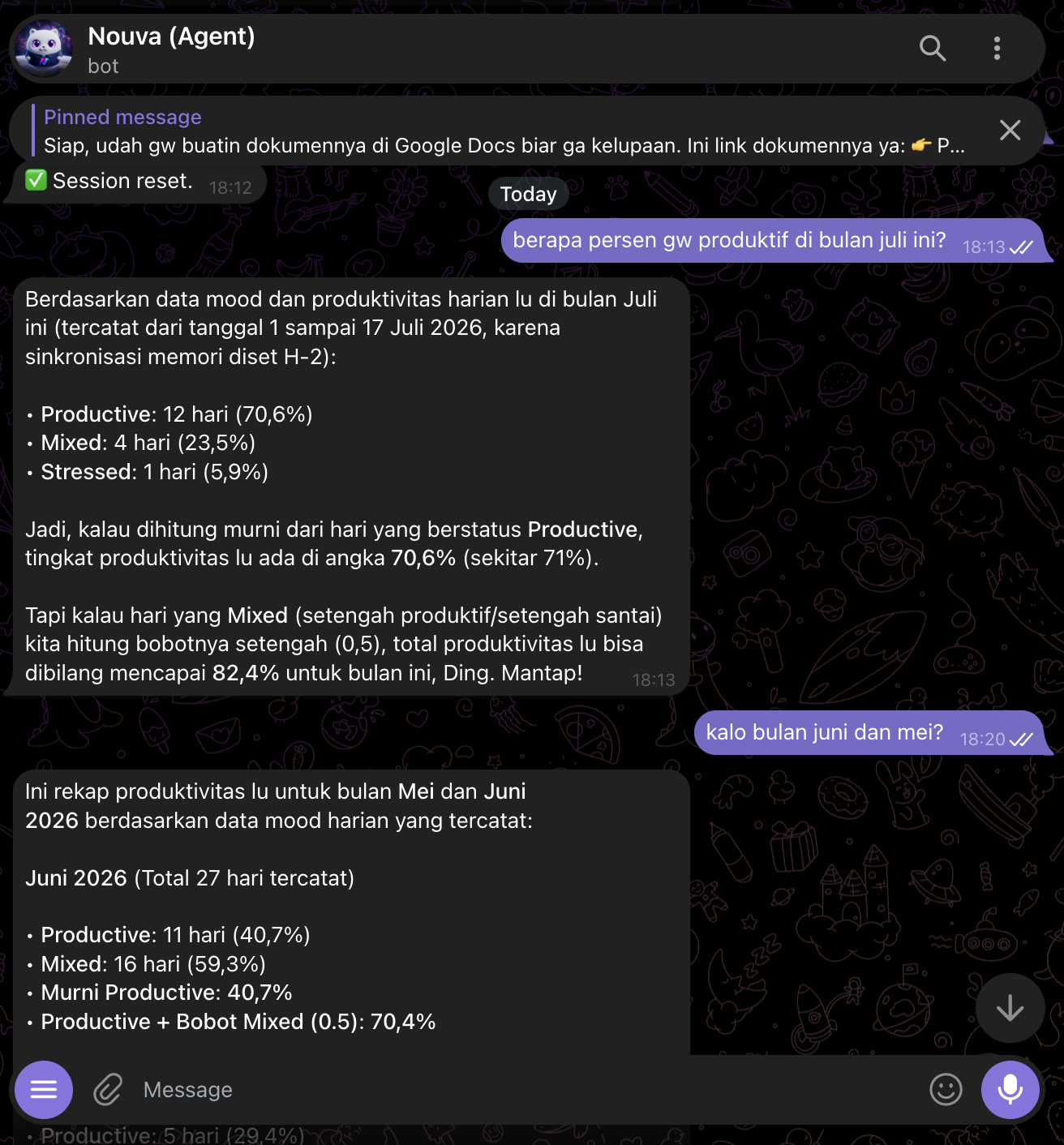
The calculation results above are pulled purely using SQL aggregation queries—extremely fast, accurate, and without wasting LLM tokens reading through hundreds of raw chat lines.
4. Data Structure: Implicit Temporal Graph
You might wonder, "If we don't use a physical graph database like Neo4j, how do we connect memories that span across different days (temporal relationships)?"
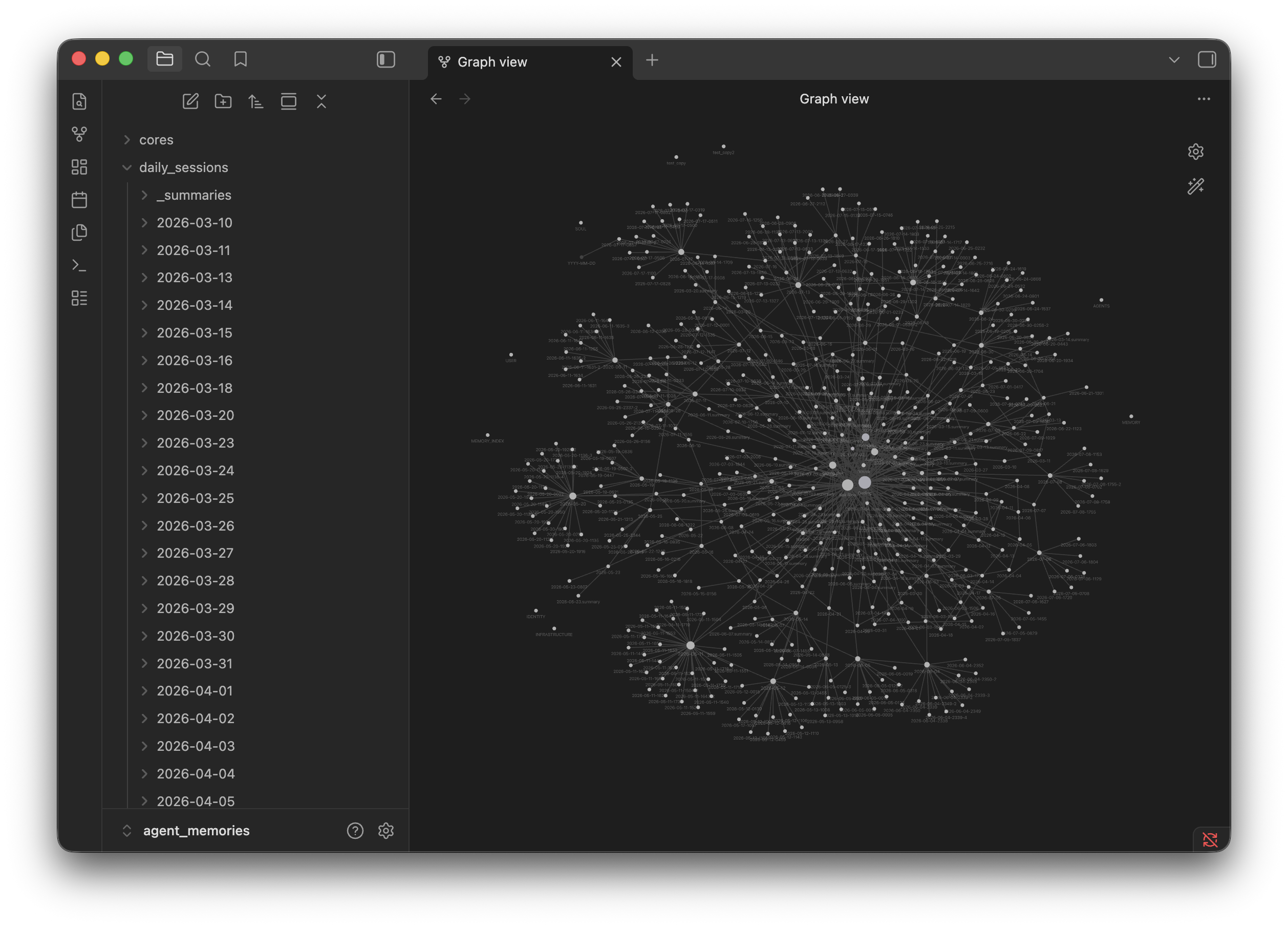
The answer: We simulate a temporal graph structure implicitly (Implicit Temporal Graph) directly on top of flat Markdown and standard PostgreSQL.
In this system, the data structure is defined as follows:
- Node: Represented by a unique date entity (e.g., the daily document
2026-07-08). - Edge: Represented by the
related_datesarray inside the summary YAML metadata.
Here is a visualization of Nouva's memory graph view, automatically generated in Obsidian:

As a real-world example, here is a snippet of the YAML metadata from a .summary.md file stored on the NAS:
schema_version: 1
date: 2026-06-24
people:
- Gading
- Kak Rina
projects:
- Homelab
tags:
- anythingllm-migration
- proxmox-config
technologies:
- Docker
- Terraform
- PostgreSQL
importance: 7
mood: reflective
related_dates:
- '2026-06-23'
- '2026-06-28'
Logically, this is a temporal graph because it connects entities/documents across time/dates. Physically, however, it is stored as standard relational data.
The nature of our data is highly efficient:
-
Immutable Historical Logs: Daily data past the grace period (H-1) is read-only and archived on the NAS.
-
Declarative Relationships: Links between days are declared programmatically during sync, rather than dynamically at query runtime.
-
Decayed Traversal: During semantic search (RAG), our query engine performs a 1-hop expansion to the dates listed in
related_dateswhile decaying their semantic score by 30% using the decay formula:Where is the original semantic score of the parent date found by RAG. This marks the expanded date as secondary/supporting context.
This way, we get the benefits of Graph/Temporal traversal without the resource overhead and complexity of a physical graph database.
5. Sync Pipeline Workflow (auto_sync.py)
How does all this data stay in sync? I have a background cron job (auto_sync.py) that runs automatically every day with the following workflow:
- Reconcile & Summarize: Reads the raw chat transcripts from the previous day still active on the local host, then instructs a local LLM to generate a concise summary in
.summary.mdformat with structured YAML frontmatter. - Archive to NAS: Moves the original raw chat transcripts to the NAS subfolders (
daily_sessions/YYYY-MM-DD/) to keep the assistant host's SSD storage usage low. - Database Sync:
- Parses the YAML frontmatter of the new summary and inserts it into the
daily_summariestable in PostgreSQL (Lane 2). - Updates the local index file
MEMORY_INDEX.md, chunks it, embeds it, and updates thememory_vectorstable (Lane 1).
- Parses the YAML frontmatter of the new summary and inserts it into the
Conclusion
Transitioning to a Unified Memory Engine based on FastMCP and splitting the memory search workflow into Dual-Lane (Semantic vs. SQL Analytics) has significantly reduced homelab resource usage. The biggest benefit is high portability; now I have a dedicated, standardized memory service that can be directly plugged in and accessed by any agent supporting the MCP protocol.
With this architecture, my AI assistant doesn't just contextually "remember" past conversations (chat history recall). Far beyond that, it can perform deep analysis, aggregate structured metadata with precision, and track my daily habits, productivity, and technical obstacles with absolute accuracy.
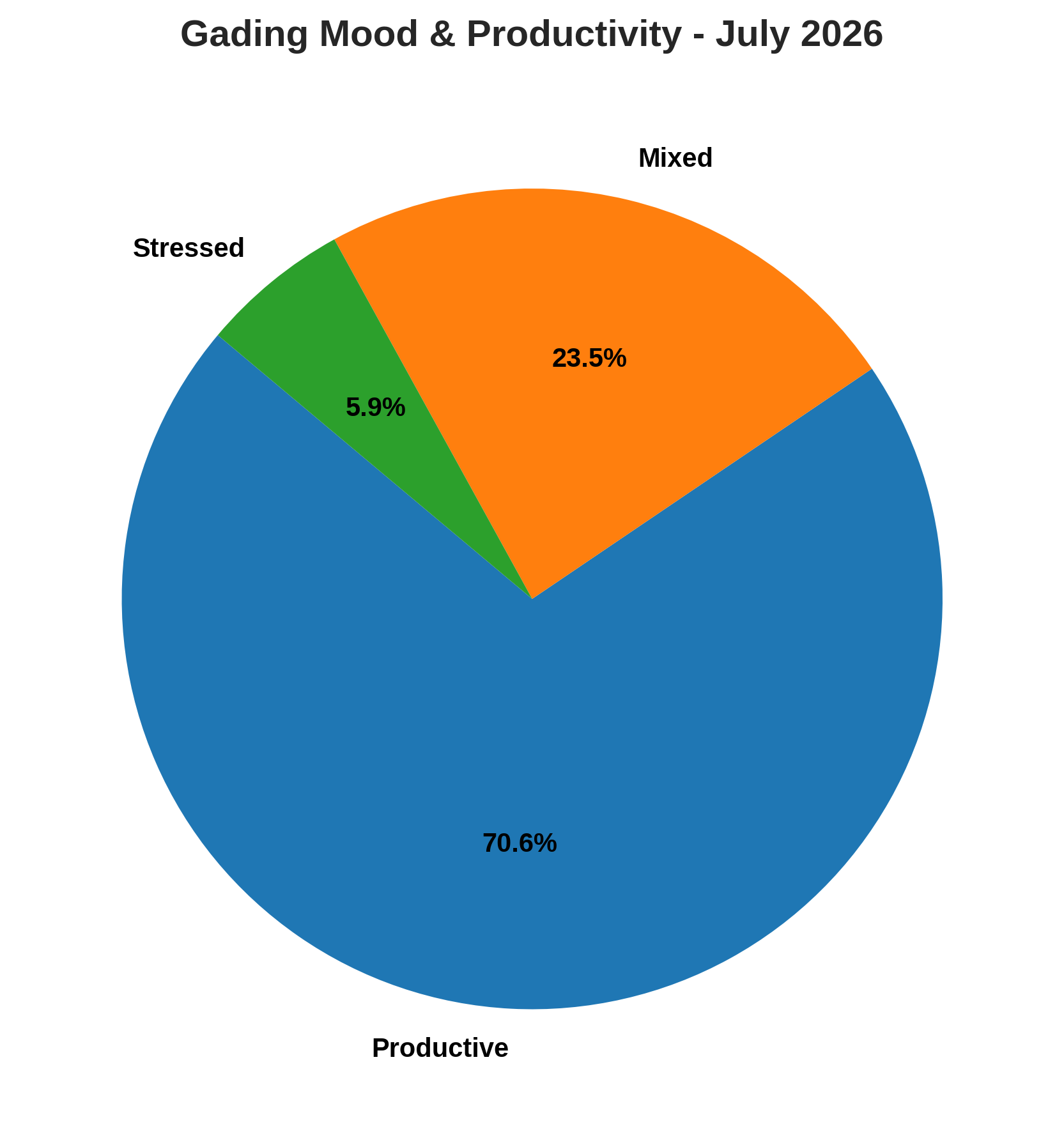
As an example, here is a visualization of my productivity percentage in July 2026, generated directly by my AI assistant using data from the SQL Lane:

Keep it lean, keep it portable, and keep it yours!
Related Blogs
You can follow the full journey of this memory architecture evolution here:
- Building GraphRAG for Autonomous Agents with Neo4J and Graphitti (Initial GraphRAG experiment)
- The GraphRAG Trap: Why I Decided to Uninstall Neo4j (Why GraphRAG was discarded)
- How I Handle Agent Memory for Personal AI Assistant (Beginning of the Two-Tier Architecture)
- Building Agent Memory with Vendor Lock-in Resistance (Part 2) (Metadata optimization & Hybrid Scoring)